BEST AI PRODUCTIVITY TOOLS 2026: NOTION AI VS MOTION VS TREVOR AI VS RECLAIM.AI VS TASKADE VS CLICKUP BRAIN VS ZAPIER CENTRAL
DEPLOYED: SEPTEMBER 2026 • SECTOR: AI PRODUCTIVITY TOOLS
BY: J. MAC (LEAD BATTLESTATION ARCHITECT)
AI agents are the #1 tech trend of 2026. Gartner projects AI agent software spending will double to $206B this year. Desk workers , writers, analysts, managers, WFH professionals , are shopping for tools that reduce their workload instead of adding another subscription tab.
The catch: most AI productivity roundups come from developer outlets testing coding tools. Nobody owns the desk-worker angle , the tool that helps you write a report faster, schedule without calendar tetris, or automate the repetitive work that eats your afternoons.
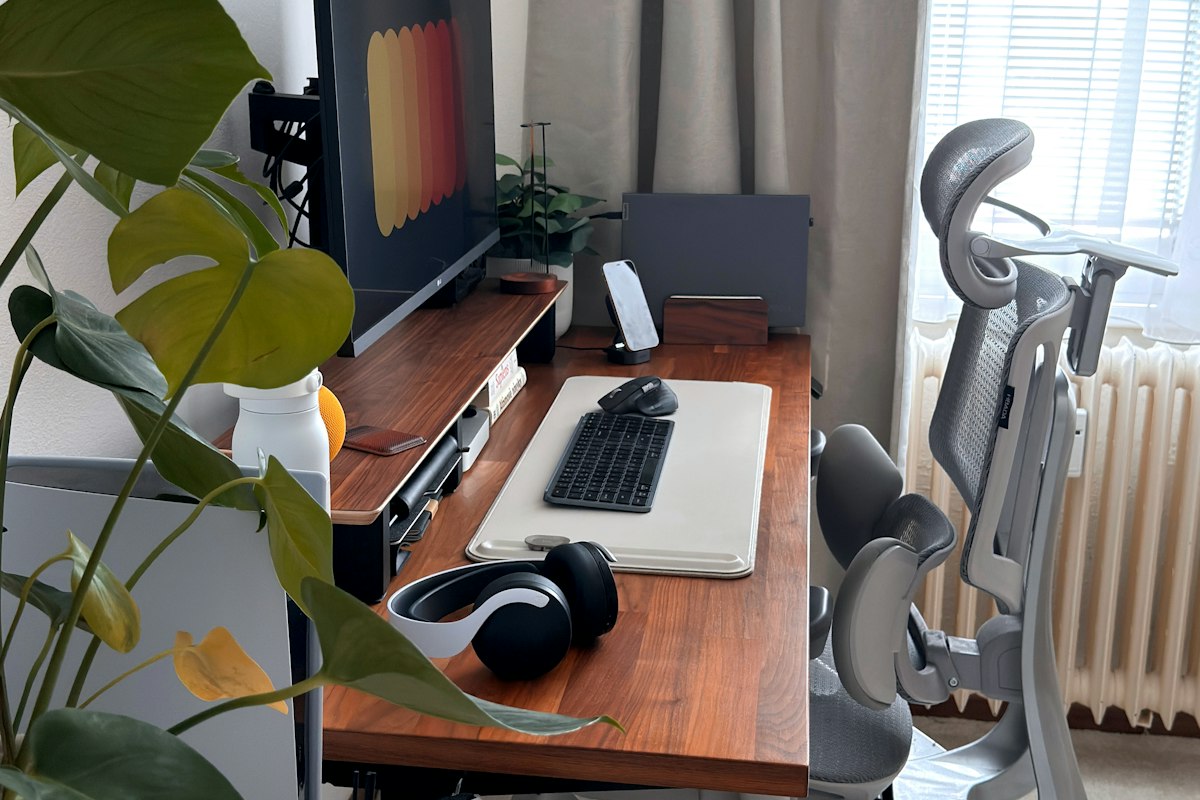
The best AI productivity tool fits naturally into your existing desk workflow , writing, scheduling, or task management , without demanding you adopt an entirely new system. Notion AI and Taskade lead on workspace integration; Motion and Reclaim.ai lead on calendar automation.
01 // PRICING TIERS
| Tier | Tools | Monthly Cost | Best For | Risk |
|---|---|---|---|---|
| Free / Freemium | Reclaim.ai (free tier), Taskade (free tier) | $0 (limited AI credits) | Budget desk workers testing AI first | AI features capped , enough to test, not enough to rely on |
| Entry Subscription | Trevor AI ($5/mo), Notion AI ($10/mo) | $5-10/month | Individual desk workers, writers, analysts | Limited team features , single-user focus |
| Mid Subscription | Motion ($19/mo), ClickUp Brain ($7/mo add-on), Reclaim.ai ($8/mo) | $7-19/month | Power users, team collaboration | Subscription stacking , three tools at $10 each is $30/month |
| Workflow Automation | Zapier Central ($20/mo) | $20/month + task usage | Cross-app automation, non-coders building AI agents | Usage-based pricing can surprise outside the 1,500-app ecosystem |
02 // THE DESK WORKER GAP
The AI productivity market is loud but fragmented. Developers have Claude Code and Cursor. Desk workers have seven tools that each solve a different piece of the productivity puzzle with no clear winner for the full day.
SmartDeskDojo fills that gap. The tools below are tested for desk-work workflows: writing, scheduling, planning, task management, and cross-app automation , not code or IDE integration.
Your digital tools only multiply the value of a good physical setup. A Notion AI writing assistant is only as useful as the chair you are sitting in while you use it. Check our best ergonomic chairs under $500 guide for the seating piece.
03 // SEVEN TOOLS HEAD-TO-HEAD
| Tool | Primary Strength | Pricing Model | Workflow Fit | Starting Price |
|---|---|---|---|---|
| Notion AI | All-in-one workspace with AI writing, summarization, and task management | $10/month add-on | Document-heavy desk workers already in Notion | $10/month |
| Motion | AI calendar + task scheduling with auto-prioritization | $19/month | Calendar-heavy professionals, meeting-packed days | $19/month |
| Trevor AI | Daily planning and time-blocking with calendar sync | $5/month | Budget-conscious desk workers who want a focused daily planner | $5/month |
| Reclaim.ai | AI scheduling that protects focus time, syncs with Google Calendar | $8/month (free tier available) | Desk workers protecting deep work blocks against meeting creep | Free / $8/month |
| Taskade | AI workflow builder, mind maps, Gantt charts, team collaboration | $15/month | Teams and desk workers who think in workflows and visual maps | $15/month |
| ClickUp Brain | AI built into project management, docs, and tasks | $7/month add-on | Desk workers already in ClickUp who want AI across docs and tasks | $7/month add-on |
| Zapier Central | No-code AI agent builder connecting 1,500+ apps | $20/month | Desk workers automating repetitive cross-app workflows without coding | $20/month |
04 // DEEP DIVE: NOTION AI
Notion AI is the all-in-one workspace pick for desk workers already in Notion. AI writing, summarization, and task management live inside the workspace you are already in : no context switch to a separate AI tool. The real value: draft a weekly status report from scattered bullets, summarize a long document into three paragraphs, or generate a task list from a messy meeting note. For desk workers in Notion, the $10/month add-on is the cheapest path to meaningful AI writing. Pair it with a well-organized desk surface , our best desk mats and mousepads guide covers the surface that keeps your workflow as organized as your Notion pages. The limitation: writing and summarization first, scheduling and automation second : if calendar chaos is your primary pain, Motion or Reclaim.ai is the better first buy.
THE UPGRADES (PROS)
- AI writing, summarization, and task generation inside the Notion workspace you already use
THE TRADEOFFS (CONS)
- Weak on calendar and scheduling , writing and summarization focus
05 // DEEP DIVE: MOTION
Motion is the calendar automation leader. Its AI schedules tasks into open calendar slots, auto-prioritizes by deadline, and reshuffles when something urgent drops in. The claim , reclaim 2-5 hours per week from manual calendar tetris , is credible for meeting-heavy roles at $19/month. For desk workers whose days are eaten by meeting creep, Motion actively defends your time. Our standing desk wobble fixes guide covers the stability side.
THE UPGRADES (PROS)
- AI auto-scheduling that actively defends your time against meeting creep
THE TRADEOFFS (CONS)
- $19/month is the priciest entry , requires a structured task list to schedule
06 // DEEP DIVE: TREVOR AI
Trevor AI is the budget daily planner at $5/month. Daily planning, time-blocking, and Google Calendar integration for desk workers who want a focused AI planner without the premium price of Motion. The value is narrow but sharp: Trevor AI is for the desk worker who opens their calendar every morning and needs to know what to work on and for how long. It time-blocks tasks into the day and keeps the plan visible : the cheapest AI daily planner on this list. The limitation: a daily planner, not a workspace or automation tool : pair with Notion AI or Zapier Central for writing and automation.
THE UPGRADES (PROS)
- Cheapest AI daily planner on the market at $5/month
THE TRADEOFFS (CONS)
- Narrow focus , daily planning only, no writing or automation, smaller ecosystem than Notion or ClickUp
07 // DEEP DIVE: RECLAIM.AI
Reclaim.ai is the focus-time defender. It syncs with Google Calendar and uses AI to schedule tasks into open slots while protecting time blocks marked as focus time. When a meeting threatens your deep-work block, Reclaim.ai moves the task to the next available slot.
Reclaim.ai pairs naturally with an active workstation. Our active workstation walking pads guide covers the health angle , a walking pad under your desk keeps blood flowing during those protected focus blocks.
THE UPGRADES (PROS)
- Actively protects focus time against meeting encroachment
THE TRADEOFFS (CONS)
- Google Calendar-centric , focus-time defense works best when your task list is maintained
08 // DEEP DIVE: TASKADE
Taskade is the workflow visualizer. It builds AI-powered workflows, mind maps, Gantt charts, and team collaboration from a single prompt. The standout feature: describe a workflow and Taskade generates the structured project with tasks, timelines, and assigned steps. For desk workers who think in workflows , the sequence from research to draft to review , Taskade turns that mental model into a visual project surface at $15/month, the pick for desk workers coordinating with a small team.
THE UPGRADES (PROS)
- AI workflow builder generates structured projects from a single prompt
THE TRADEOFFS (CONS)
- $15/month is above budget tier with the steepest learning curve
09 // DEEP DIVE: CLICKUP BRAIN
ClickUp Brain is the AI built into project management. AI chat, task summarization, doc generation, and project-level context live directly in the ClickUp workspace. Ask a question about your project and Brain answers from the task and doc context in ClickUp : generate a status doc from scattered updates, summarize a long task thread into action items, and eliminate the context switch to a separate AI tool.
THE UPGRADES (PROS)
- AI built into project management, docs, and tasks at the cheapest AI-in-workspace price
THE TRADEOFFS (CONS)
- Requires existing ClickUp workspace , weak as a standalone AI tool, add-on priced on top of subscription
10 // DEEP DIVE: ZAPIER CENTRAL
Zapier Central is the no-code AI agent builder connecting 1,500+ apps. Desk workers build AI agents that automate repetitive cross-app workflows without coding , an agent that watches your inbox for invoice emails, extracts the data, and logs it into your spreadsheet, all without you touching a keyboard. At $20/month it is the priciest tool on this list but the automation surface is the largest.
THE UPGRADES (PROS)
- Largest app ecosystem , 1,500+ apps connectable without coding
THE TRADEOFFS (CONS)
- $20/month is the most expensive tool on this list with usage-based pricing variability
CHECK ZAPIER CENTRAL ON AMAZON
11 // DECISION FRAMEWORK: WHICH TOOL FOR WHICH DESK WORKER
| If You Need... | Pick | Why | Starting Price |
|---|---|---|---|
| All-in-one writing + task workspace with AI | Notion AI | AI writing, summarization, and task generation inside the Notion workspace you already use. Best for document-heavy desk workers. | $10/month |
| Calendar automation and auto-scheduling | Motion | AI schedules tasks into calendar slots, auto-prioritizes by deadline, and defends your time against meeting creep. Highest price, highest calendar ROI. | $19/month |
| Cheapest daily AI planner | Trevor AI | $5/month daily planning and time-blocking with Google Calendar sync. Narrowest focus, lowest price. | $5/month |
| Focus time protection against meeting creep | Reclaim.ai | AI scheduling that actively protects focus time blocks. Free tier to test before upgrading to $8/month. | Free / $8/month |
| Workflow visualization and team collaboration | Taskade | AI workflow builder generates structured projects from a prompt. Mind maps, Gantt charts, team collaboration. Best for workflow-heavy desk workers. | $15/month |
| AI inside an existing project management workspace | ClickUp Brain | AI chat, doc generation, and task summarization built into ClickUp. Cheapest AI-in-workspace add-on at $7/month for project teams. | $7/month add-on |
| Cross-app automation without coding | Zapier Central | No-code AI agent builder connecting 1,500+ apps. Largest automation surface. Best for desk workers with repetitive cross-app workflows. | $20/month |
Side-by-side comparison reveals the tradeoff: Notion AI for writing, Motion for calendar defense, and Zapier Central for automation. Most desk workers need two tools max, not all seven.
12 // THE FINAL VERDICT
For most desk workers in 2026, start with Notion AI at $10/month if you already live in Notion. AI writing and summarization adds the most immediate time savings for document-heavy work with zero context switch.
If calendar chaos is your primary pain, skip Notion AI and start with Motion at $19/month or Reclaim.ai at $8/month (free tier first). Motion is the stronger scheduler; Reclaim.ai is the better value to test first. Either actively defends your focus time.
For the budget-conscious desk worker who wants a daily planner, Trevor AI at $5/month is the cheapest AI daily planner on the market. Pair it with a free Reclaim.ai account for scheduling defense at zero cost.
For desk workers with repetitive cross-app workflows , invoice processing, status updates, spreadsheet-to-email pipelines , Zapier Central at $20/month is the highest-ROI tool. One automated workflow can pay for the subscription in the first week.
For teams coordinating on projects, ClickUp Brain at $7/month add-on is the cheapest path to AI inside your project management workspace. For workflow-visual thinkers, Taskade at $15/month turns a mental model into a structured project.
The most common mistake: buying three overlapping tools that each handle 20% of your workflow. That is a net time loss on subscription management alone. Pick one tool for your primary pain : writing, scheduling, or automation , and add a second only when the first hits its ceiling.
Your digital tools multiply the value of a good physical setup. A Notion AI writing session is only as productive as the chair behind you and the desk height keeping your wrists neutral. Run your measurements through the SmartDeskDojo Ergonomic Calculator.
IS YOUR SETUP MATCHING YOUR TOOLS?
AI tools buy back time , but only if your physical setup lets you use it well. Use the Battlestation Ergonomic Calculator to determine your optimal monitor height, desk position, and keyboard distance. A fast tool on a poorly positioned desk is a net-negative workflow.
LAUNCH CALCULATOR