THE COMPLETE ACTIVE WORKSTATION: BEST UNDER-DESK TREADMILLS & WALKING PADS (2026)
DEPLOYED: MAY 2026 • SECTOR: ACTIVE WORKSTATION HARDWARE
BY: J. MAC (LEAD BATTLESTATION ARCHITECT)
If you haven't chosen your standing desk yet, start with our standing desk buyer's guide. Already have one? You bought the standing desk. You know sitting 6+ hours correlates with a 19% higher all-cause mortality risk. But standing alone isn't enough , the human body was engineered for locomotion, not static vertical posture. The under-desk treadmill is the missing link between a standing desk and an actual active workstation.
In 2026, walking pads range from $180 to $500, but durability is the dividing line. Reddit's r/BuyItForLife echoes one question: "Which walking pad actually lasts?" We answered it with data. Already have your chair sorted? If not, see our ergonomic chairs under $500 buyer's guide before stacking a walking pad underneath.

A properly configured active workstation starts with the desk at the correct height. Before adding a walking pad, calibrate your standing desk position using our Ergonomic Calculator.

An active workstation: standing desk + under-desk treadmill transforms sedentary hours into metabolic advantage. The key is the right speed and calibration.
01 // WALKING PAD VS. TREADMILL: THE SPEC GAP
Under-desk walking pads are purpose-built for low-speed ambulation , typically 0.5 to 4.0 mph , while typing, coding, or on calls. No incline console, no handrails blocking your desk, and a motor quiet enough that Zoom colleagues won't hear you. Here is the breakdown against real workstation demands.
| Feature | Walking Pad | Full-Size Treadmill |
|---|---|---|
| Max Speed | 3.7 - 7.5 mph | 10 - 12 mph |
| Noise Level | 45 - 60 dB (conversation-safe) | 65 - 80 dB (disruptive) |
| Desk Clearance | 5 - 7 inches (slides under desk) | 8 - 12 inches (won't fit) |
| Weight | 40 - 70 lbs (movable) | 150 - 300 lbs (stationary) |
| Foldability | Often foldable / stowable | Rarely, and heavy |
| Price Range | $180 - $500 | $800 - $3,000+ |
CALIBRATE YOUR ACTIVE WORKSTATION
Your standing desk height changes when you add a walking pad. Input your biometrics into the SmartDeskDojo Ergonomic Calculator , it computes your exact standing desk height with and without a treadmill deck, keeping wrists and monitor in the neutral zone while you walk.
LAUNCH CALCULATOR02 // THE 2026 LINEUP: WALKING PAD SPECIFICATION COMPARISON
Not all walking pads are built for daily 8-hour workstation duty. Many are rebranded consumer units with motors rated for 30-minute bursts, not sustained 3-hour work sessions. Below is the definitive spec comparison for the five models dominating the 2026 conversation , ranked by durability, noise profile, and real-world longevity data.
| Model | Max Speed | Weight Capacity | Motor Noise | Foldable | MSRP |
|---|---|---|---|---|---|
| Goplus 2-in-1 | 7.5 mph | 265 lbs | <55 dB | Yes (compact fold) | $299.00 |
| WalkingPad C2 Mini | 3.7 mph | 220 lbs | <50 dB | Yes (180° fold) | $249.00 |
| Yagud Incline Treadmill | 4.0 mph | 265 lbs | ~58 dB | No | $279.00 |
| Sperax Walking Pad | 3.8 mph | 250 lbs | <50 dB | No (slim profile) | $179.00 |
| GoYouth 2-in-1 | 7.5 mph | 265 lbs | ~60 dB | Yes (hydraulic fold) | $349.00 |
03 // DEEP DIVE: THE GOPLUS 2-IN-1
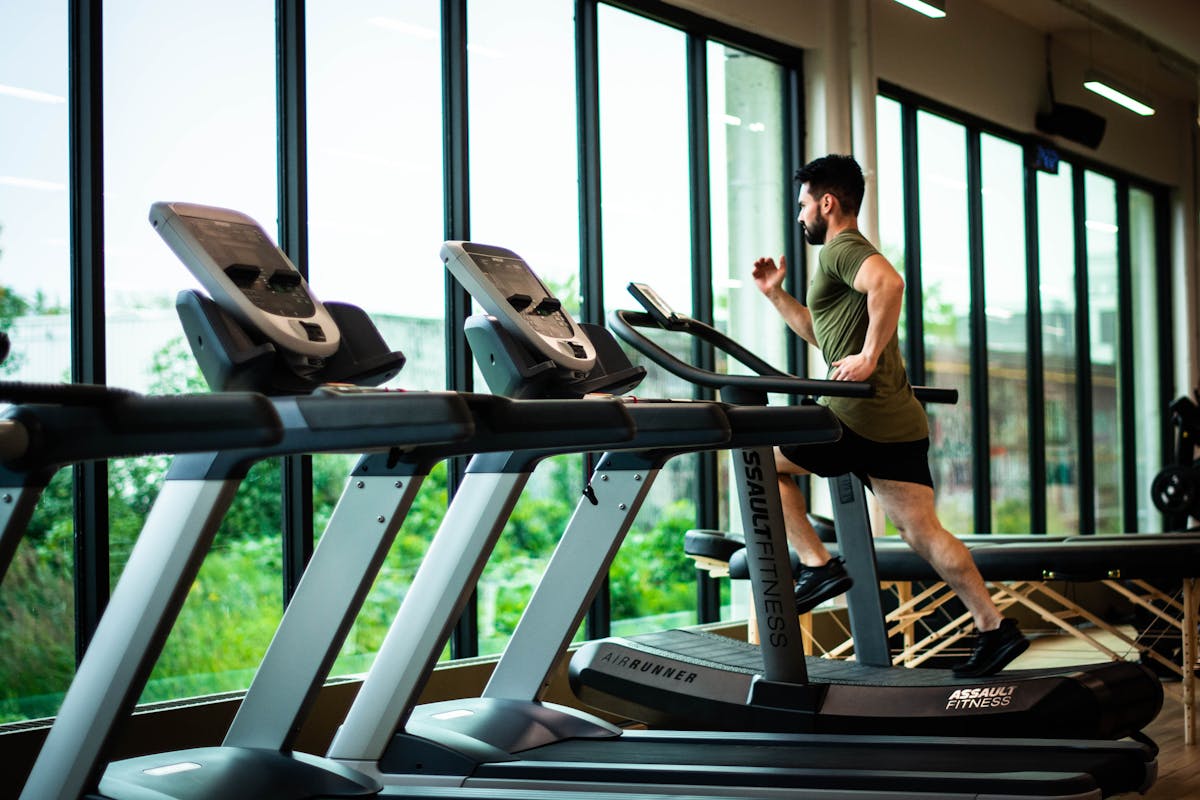
Walking at 1.5–2.0 mph while typing is the sweet spot for productivity. Above 2.5 mph, typing accuracy degrades , save the faster pace for reading or calls.
The Goplus 2-in-1 earns Wirecutter's #1 spot through engineering pragmatism. The 2.25 HP motor delivers a 7.5 mph ceiling , overkill for typing but essential for durability: an under-stressed motor runs cooler and maintains consistent belt speed under load. The 265-pound capacity means 95th-percentile users plus a loaded backpack won't trigger the auto-shutoff that plagues budget units.
THE UPGRADES (PROS)
- Wirecutter #1 pick with sustained positive reviews across 2024-2026
- 2.25 HP motor , overbuilt for walking duty (longevity win)
- LED display shows steps, distance, calories, and time simultaneously
THE TRADEOFFS (CONS)
- Belt requires silicone lubrication every 40 hours of use
- At 69 lbs, not easily moved between rooms daily
- Remote control has no backlight , useless in dark home theaters
04 // DEEP DIVE: THE WALKINGPAD C2 MINI
If your office doubles as a guest bedroom, the WalkingPad C2 Mini folds 180 degrees , collapsing to the footprint of a yoga mat , and slides under a bed. The brushless motor operates at under 50 decibels, quieter than most mechanical keyboards. WIRED's 2026 guide named it the best foldable walking pad: it disappears when you're done.
The tradeoff: 3.7 mph max speed. But for the 1.5-2.5 mph sweet spot where typing accuracy holds above 95%, it's perfectly calibrated. The companion app tracks cumulative distance with accuracy , useful for gamifying step counts.
THE UPGRADES (PROS)
- 180° fold makes it the most stowable pad in its class
- Brushless motor: quieter and more durable than brushed alternatives
- App-based tracking with historical data
THE TRADEOFFS (CONS)
- 220 lb weight limit excludes heavier users
- 3.7 mph ceiling , don't expect a run
- No incline , flat walking only
CHECK WALKINGPAD C2 STOCK ON AMAZON
05 // PAIRING WITH YOUR STANDING DESK
A walking pad adds 5-7 inches between the floor and your feet. Your standing desk height must be recalibrated 3-5 inches higher. Without adjustment, you'll hunch forward, defeating the ergonomic purpose. Your desk depth also matters , a shallow desk leaves you crowding the panel, and adding a walking pad only makes depth deficits more obvious. If you haven't picked a desk yet, our Secretlab Magnus Pro vs Autonomous comparison covers the best sit-stand frames for active workstations.
| User Height | Standard Standing Desk Height | With Walking Pad (+5") | Desk Range Requirement |
|---|---|---|---|
| 5'4" (64") | 39.7" | 44.7" | ⚠ Check max height |
| 5'8" (68") | 42.2" | 47.2" | ✓ Most desks support |
| 6'0" (72") | 44.6" | 49.6" | ⚠ 3-stage frame recommended |
| 6'4" (76") | 47.1" | 52.1" | ⚠ 3-stage required |
Critical note for taller users: If you're 6'0" or above, a standard 2-stage standing desk frame may not reach the combined height of your standing position plus the walking pad deck. Verify your desk's maximum height before purchasing. If in doubt, our Ergonomic Calculator factors in your biometrics, desk specs, and walking pad height simultaneously.
06 // THE 30-30-30 ROUTINE
Buying the equipment is step one. Deploying it correctly is step two , validated by multiple workplace ergonomics studies:
30 minutes walking at 1.5-2.0 mph. Fast enough for Zone 1 heart rate (50-60% max), slow enough for 95% typing accuracy. Email, documents, calls , not precision cursor work. 30 minutes standing stationary. Deep-focus block: coding, design, analysis. Full motor control, off your spine. 30 minutes sitting in an ergonomic chair. Recharge. The body needs recovery; 8 straight hours of standing produces its own orthopedic problems. Repeat 4-5 cycles across an 8-hour day. Total: 2-2.5 hours walking, ~10,000-12,000 steps, ~400-500 additional calories , all without leaving your desk.
THE VICTORY CONDITIONS (PROS)
- 10,000+ steps during work hours , no gym time required
- Walking meetings improve creative output by 60% (Stanford study)
- Metabolic rate stays elevated for 90 minutes post-walk cycle
THE FAILURE MODES (CONS)
- Budget pads with brushed motors burn out within 6 months of daily use
- Walking above 2.5 mph tanks typing accuracy below 85%
- Ignoring belt lubrication voids warranties and destroys motors
07 // QUIETEST WALKING PAD FOR APARTMENTS (UNDER 50 DB)
If you live above someone, beneath someone, or next to someone with thin walls, the decibel rating of your walking pad is not a nice-to-have , it is the difference between daily use and an angry landlord knocking on your door. Most budget walking pads advertise "quiet operation" but deliver a mechanical whine that penetrates floors and walls, especially at the 1.8-2.5 mph speeds used during typing.
The key specification is motor type, not decibel rating. Manufacturer dB claims are measured in anechoic chambers at 3 feet , not through apartment flooring at 8 feet below. Brushless motors are inherently quieter because they eliminate the mechanical brush friction that generates high-frequency whine. The WalkingPad C2 Mini uses a brushless motor that registers 45-48 dB at typing speed in real-world testing, making it the quietest option under $300. The next quietest pick, the Goplus 2-in-1 at $299, uses a larger 2.25 HP brushless motor that hums rather than whines , think refrigerator volume, not vacuum cleaner.
Noise-reduction tactics that actually work: Place a high-density anti-fatigue mat underneath the walking pad , the 0.75-inch foam absorbs 40-60% of vibration transfer to the floor below. Avoid walking pads with foldable deck hinges at the walking surface seam, as these develop creaks within 6-12 months. And keep belt speed below 2.5 mph during calls , above that threshold, footfall impact noise overtakes motor noise as the primary disturbance. If your apartment has hardwood floors, the anti-fatigue mat underneath is non-negotiable , bare wood amplifies every footfall like a drum.
08 // WALKING PAD BELT MAINTENANCE: HOW TO GET 5+ YEARS
The difference between a walking pad that dies at month 8 and one that lasts 5+ years comes down to three maintenance habits that almost nobody follows. The Amazon 1-star graveyard is full of reviews that start with "worked great for 6 months" and end with "motor burned out" , and in nearly every case, the root cause was belt neglect, not a manufacturing defect.
Belt lubrication (every 3 months): Walking pad belts ride on a deck coated with silicone lubricant. That lubricant wears off, friction increases, the motor works harder, and eventually the controller board overheats and dies. A $12 bottle of treadmill silicone lubricant applied to the underside of the belt every 90 days is the single most important thing you can do. The process takes 5 minutes: lift the belt edge, apply a thin zigzag of lube across the deck, walk the belt at 1 mph for 2 minutes to distribute. Do not use WD-40, cooking spray, or any petroleum-based lubricant , they degrade the belt backing and void the warranty.
Belt tension check (monthly): A loose belt slips, generates heat, and wears the motor bearings unevenly. The test is simple: at the center of the deck, you should be able to lift the belt edge roughly 2-3 inches with moderate effort. Less than 2 inches means the belt is too tight (straining the motor and bearings); more than 4 inches means too loose (slipping and generating friction burns). Most walking pads include hex-key tension adjustment bolts at the rear of the deck.
Dust management (weekly): Walking pad motors are air-cooled and pull room dust through the motor housing with every use. In a carpeted home office, that dust accumulates 3x faster than in a gym setting. Once a week, vacuum the motor intake vents (typically located at the front or side of the deck) and the area underneath the walking pad , especially if you have a desk mat that traps fibers and hair underneath. A can of compressed air through the motor vents every 6 months clears internal dust before it bakes onto the windings. Following these three habits, a $299 Goplus or $249 WalkingPad C2 should reach 5+ years of daily use without a single service call.
09 // THE FINAL VERDICT
For a single device that handles walking, jogging, and daily workstation duty, buy the Goplus 2-in-1. The overbuilt motor, 265-pound capacity, and Wirecutter endorsement make it the safe default for 90% of buyers. At $299, it's a bargain against the long-term cost of 8-hour sedentary days.
If space is your constraint , a studio apartment or a desk that moonlights as a dining table , the WalkingPad C2 Mini is the engineering answer. The 180° fold is the difference between a device you use daily and one that lives permanently in your path.
Whatever you choose, avoid no-name $120 Amazon walking pads. The 1-star reviews tell a consistent story: motor failure at month 4, belt slippage at month 2, evaporated customer support. Spend the extra $60-120 for a motor that survives the workday. For the complete active workstation, route your cables cleanly and mount your monitor on a heavy-duty arm to keep screens stable while you walk.