THE DEPTH DILEMMA: WHY YOUR DESK MIGHT BE TOO SHALLOW FOR A 49-INCH ULTRAWIDE
DEPLOYED: JULY 2026 • SECTOR: ERGONOMICS + HARDWARE
BY: J. MAC (LEAD BATTLESTATION ARCHITECT)
You unbox a 49-inch curved ultrawide, clear your desk, and slide it into position. Then it hits you: you are sitting way too close. The panel dominates your entire field of view, your neck is on a swivel tracking HUD elements in the corners, and somewhere in the back of your mind you can feel your optometrist drafting a sternly worded letter.
Width is rarely the problem — most desks comfortably span 48 to 60 inches. Depth is the silent killer. The standard office desk is 24 inches deep. Subtract 10 inches for the monitor’s factory stand, and your eyes are less than 15 inches from a 4K furnace. This is not ergonomics. This is a tanning bed with a graphics card.
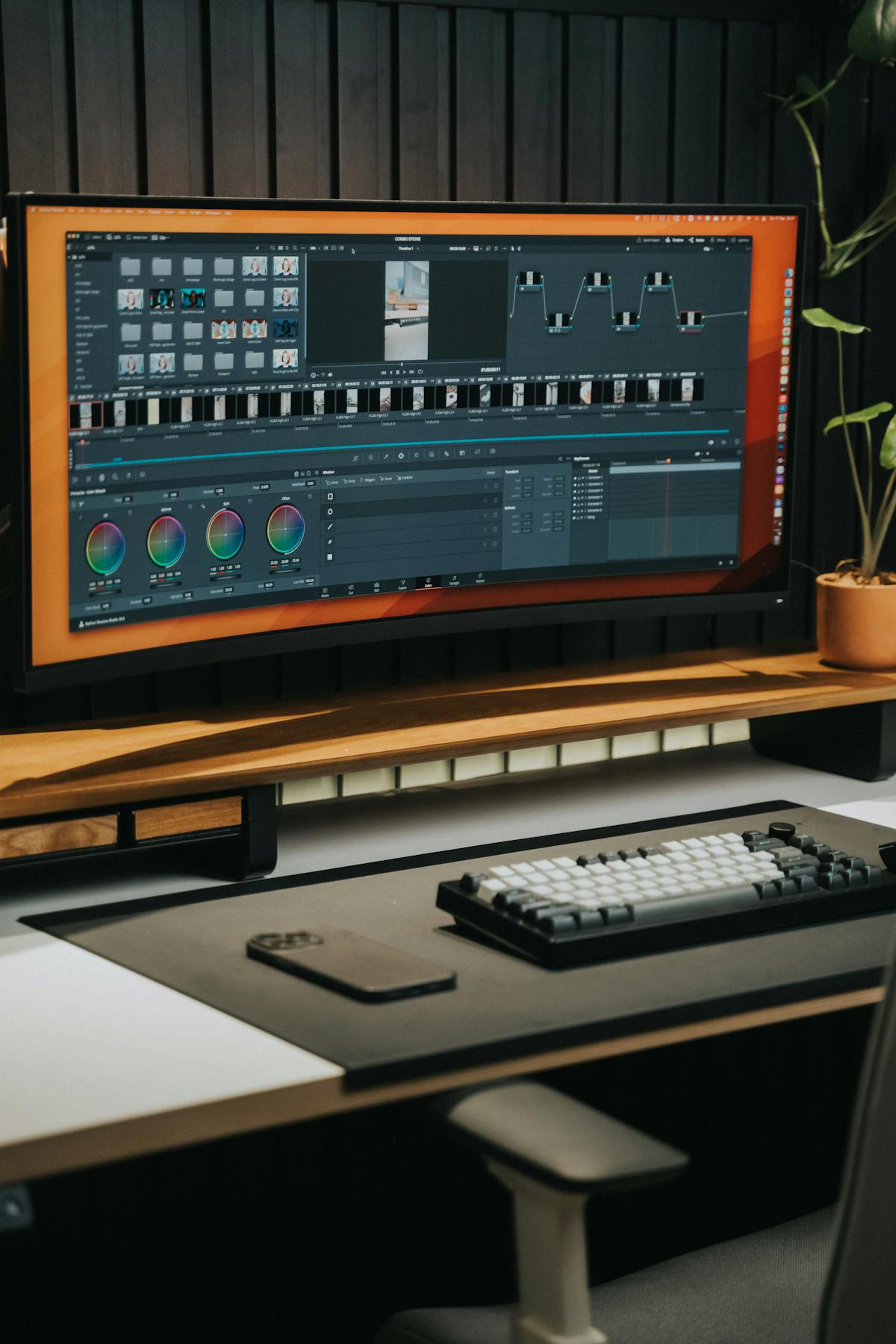
A 49-inch ultrawide demands more depth than most standard desks provide. The distance between your eyes and the panel is the single most overlooked ergonomic variable in battlestation design.
01 // DESK DEPTH COMPARISON: WHAT YOU ACTUALLY NEED
Before buying a monitor arm or wall mount, you need to confront the raw numbers. If your desk falls short on depth, our standing desk buyer's guide covers deep-desk options including the 30-inch+ Uplift V3 and Secretlab Magnus Pro. Most battlestation owners discover the depth deficit only after the panel is already on the desk. Here is how common desk profiles stack up against the demands of a 1000R curved ultrawide.
| Desk Depth Profile | Usable Depth (minus stand) | Eye-to-Screen Distance | Verdict for 49" Ultrawide |
|---|---|---|---|
| Standard Office (24") | ~14 inches | 12-15 inches | INADEQUATE — Neck strain guaranteed |
| Mid-Range Gaming (27-28") | ~17 inches | 14-17 inches | BORDERLINE — Arm mount required |
| Deep Workstation (30") | ~20 inches | 17-20 inches | ADEQUATE — With ergo arm at full retraction |
| Professional Grade (34-36") | ~24-26 inches | 22-26 inches | OPTIMAL — Full focal range achievable |
| Custom / Executive (39"+) | ~29+ inches | 27-30+ inches | PERFECT — 1000R sweet spot at 1 meter |
STOP GUESSING — USE THE ERGONOMIC CALCULATOR
Input your desk depth, panel size, and curve radius into our Battlestation Ergonomic Calculator. It computes your exact ideal viewing distance and flags whether your current desk is a red, yellow, or green zone. The math doesn’t lie — and neither does neck pain.
LAUNCH CALCULATOR02 // MONITOR ARM HEAD-TO-HEAD: THE DEPTH RECLAMATION ENGINE
Replacing the factory stand with a high-quality monitor arm is the single highest-ROI move for reclaiming depth , see our complete monitor arm buyer's guide for weight capacity charts across 6 arms. Working with a laptop instead? Our laptop screen extender comparison covers portable multi-monitor solutions that don't sacrifice desk depth. A rigid arm mounted to the rear edge of your desk can push the panel back by 6 to 12 inches — transforming a borderline desk into a functional one. But not all arms are built for the torque demands of a 30+ pound ultrawide.
| Monitor Arm | Max Weight Capacity | Extension Range | Depth Recovery | MSRP |
|---|---|---|---|---|
| Ergotron HX (with HD Pivot) | 42 lbs (19.1 kg) | 0 - 23.5 inches | Up to 12" gain | $379.00 |
| Amazon Basics Premium Single | 25 lbs (11.3 kg) | 0 - 25 inches | Up to 10" gain | $119.00 |
| VIVO Premium Aluminum Arm | 33 lbs (15 kg) | 0 - 22 inches | Up to 8" gain | $89.99 |
| Huanuo Dual Monitor Mount | 17.6 lbs per arm | 0 - 18 inches | Up to 6" gain | $59.99 |
Critical Warning: Most budget arms quote a 33-pound capacity but fail the tilt test with a 49-inch ultrawide. The panel’s wide aspect ratio creates an enormous lever arm — the actual torque on the tilt joint can exceed 3x the rated load. The Ergotron HX with the heavy-duty pivot is the only arm on this list purpose-engineered for the G9’s unique center of gravity. Do not cheap out on the one component holding $1,500 worth of glass above your desk.
CHECK ERGOTRON HX STOCK ON AMAZON
03 // DEPTH EXTENSION SOLUTIONS: BEYOND THE ARM
If a monitor arm alone can’t close the gap — perhaps your desk is only 22 inches deep, or a fixed wall prevents pushing the panel rearward — you have two remaining options: desk extensions and wall-mounting. Each trades cost and permanence for depth recovery. When routing cables through an arm or wall mount, our standing desk cable management guide has the adhesive clips and routing strategies to keep everything clean.
| Solution | Depth Added | Install Complexity | Cost Range | Best For |
|---|---|---|---|---|
| Clamp-On Desk Extender Shelf | 6 - 10 inches | Low (clamp, no drilling) | $40 - $90 | Renters, temporary setups |
| Fixed Wall Monitor Mount | Unlimited (wall-dependent) | High (stud-finding, drilling) | $30 - $150 | Permanent installations |
| Keyboard Tray Add-On | 4 - 8 inches (indirect) | Medium (under-desk drilling) | $60 - $200 | Shallow desks with no rear space |
| Replace Desk Top Only | 6 - 12+ inches | Medium (frame reuse) | $100 - $300 | DIYers on sit-stand frames |
THE VICTORY CONDITIONS (PROS)
- 12+ inch depth recovery achievable with premium arm + extender combo
- Wall mounting completely eliminates the desk depth variable
- Keyboard tray buy-back: 4-8 inches of indirect depth for under $200
THE FAILURE MODES (CONS)
- Budget arms WILL sag — 49-inch lever physics are unforgiving
- Wall mounting means committing to a fixed monitor position
- Desk extenders can introduce wobble on lightweight frames
04 // THE FINAL VERDICT: BUILD YOUR DEPTH STACK
If you’re sitting on a 24-inch desk with a 49-inch ultrawide on the factory stand, you are objectively in the red zone. Here is the stack-ranked recovery path, ordered by cost-effectiveness:
Step 1: Buy a rated monitor arm (Ergotron HX if your panel exceeds 28 lbs). This alone recovers 8-12 inches of depth — enough to bring most 27-28 inch desks into the green zone. Step 2: If still too close, add a clamp-on desk extender shelf behind the arm mount point for an additional 6-10 inches. Step 3: As a last resort, replace the desktop with a 34-36 inch deep slab — IKEA’s Karlby countertop (25.6" x 74") or a custom butcher block are the go-to solutions for sit-stand frame owners who need to go deep without going broke.
Whatever path you choose, do not ignore the depth deficit. Your cervical spine is counting on you to get the monitor far enough away that you stop unconsciously leaning forward. Run the numbers through the Ergonomic Calculator, pick your depth stack, and reclaim those inches. Once depth is dialed in, find an ergonomic chair under $500 to complete your posture-corrected battlestation.