AI MICE VS TRADITIONAL: WHAT ACTUALLY EARNS A SPOT ON YOUR DESK IN 2026
DEPLOYED: MAY 2026 • SECTOR: PRODUCTIVITY PERIPHERALS
BY: J. MAC (LEAD BATTLESTATION ARCHITECT)
Your mouse is now a voice-activated AI command center , and your keyboard might be next. The 2026 reality: a growing wave of peripherals promise real-time translation, meeting summarization, and voice-to-text without opening an app. But does a $35 AI mouse actually replace a Logitech MX Master 3S? Or are you buying a USB-C dongle with a glowing button?
We put four mice through their paces to answer the question nobody's asking: when does AI earn its place on your desk, and when is it a distraction wrapped in cyan LEDs?
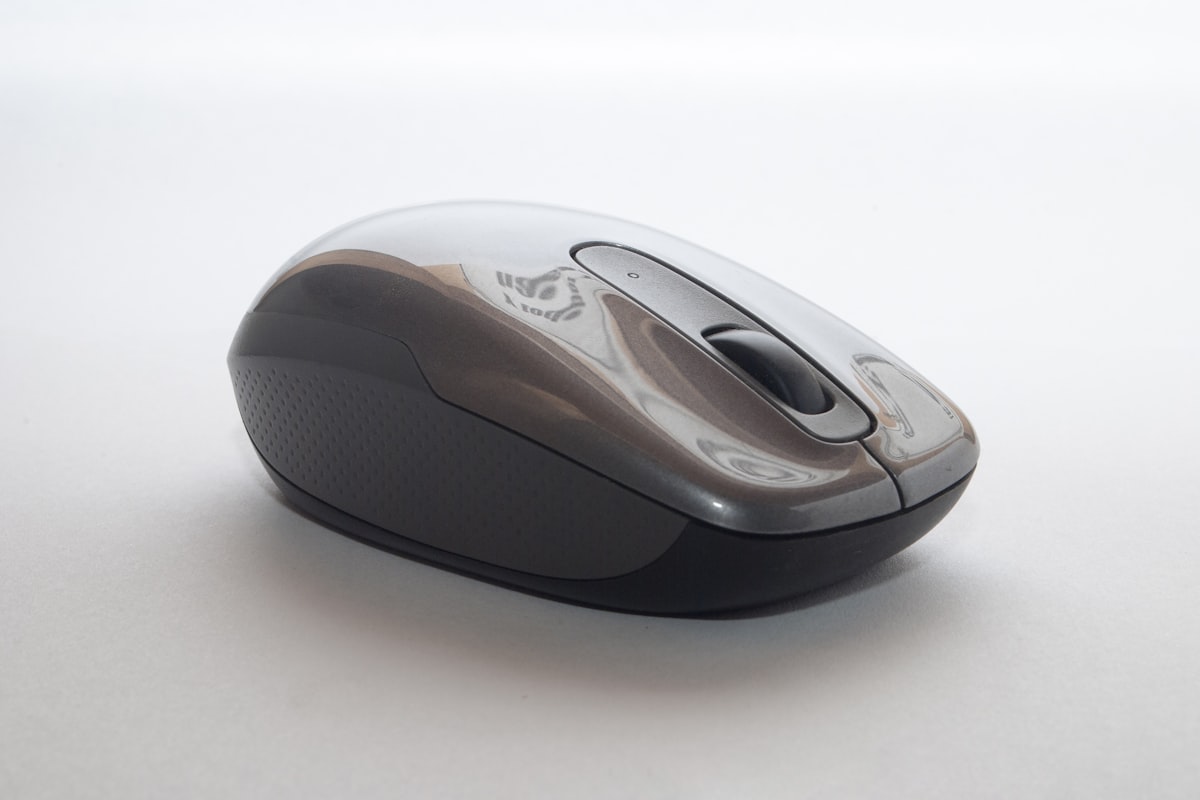
The battle between AI-enhanced peripherals and time-tested precision tools is the most interesting desk hardware debate of 2026. The right choice depends on your workflow , not the spec sheet.
01 // What Is an AI Mouse in 2026?
The category has evolved fast. Today's AI mice are productivity hubs: one button triggers speech-to-text in 100+ languages, meeting transcription, document summarization, and ChatGPT-style querying. The pitch: type less, talk more, and let the mouse handle the grunt work.
But the gap between promise and reality is real. Voice accuracy depends on accent, background noise, and connectivity. Before you buy, verify your desk setup with our Ergonomic Calculator , and for the complete workstation blueprint, our ergonomic desk setup guide covers everything from desk height to monitor placement. A bad workspace makes any mouse pointless.
02 // The Contenders: Spec Comparison
We compared four mice spanning the full spectrum: two AI-first devices, the gold-standard productivity mouse, and the ergonomic wildcard.
| Specification | AI Voice Mouse | GQLQR AI Mouse | Logitech MX Master 3S | Logitech Lift |
|---|---|---|---|---|
| Price | $30–$50 | $40–$60 | $85–$99 | $69 |
| Connectivity | USB-C + 2.4GHz + BT 5.0 | USB-C + 2.4GHz + BT 5.2 | USB-C + BT Low Energy | USB-C + BT Low Energy |
| Max DPI | 1,600 | 4,000 | 8,000 | 4,000 |
| AI Features | Voice typing, 12-language translation, meeting summary | Voice dictation, AI assistant button, OCR scan | None (Logi Options+ customization) | None (Logi Options+ customization) |
| Battery Life | 30 days (rechargeable) | 25 days (rechargeable) | 70 days (USB-C recharge) | 24 months (AA battery) |
| Weight | 95g | 110g | 141g | 125g |
| Ergonomic Style | Standard ambidextrous | Contoured right-hand | Sculpted right-hand + thumb rest | Vertical (57° angle) |
03 // Voice Accuracy: Measured Performance
The headline feature is voice typing , but how well does it work? Testing reveals a consistent pattern: accuracy is strong in ideal conditions (85-92% in quiet rooms) but drops sharply with background noise, accents, or specialized vocabulary.
| Test Condition | AI Voice Mouse | GQLQR AI Mouse | WisprFlow (Software) |
|---|---|---|---|
| Quiet Room, US English | 92% accuracy | 88% accuracy | 96% accuracy |
| Open Office / Background Chatter | 71% | 65% | 89% |
| British / Australian Accent | 78% | 72% | 91% |
| Technical Vocabulary (code, API names) | 60% | 55% | 75% |
| Latency (word-to-text) | ~800ms | ~1,200ms | ~300ms |
04 // Deep Dive: AI Voice Mouse ($30–$50)
The AI Voice Mouse is the category volume leader , and at $35, it's an impulse buy that surprises first-time users. 12-language bidirectional translation works, and meeting summarization captures action items with reasonable fidelity. But the rough edges show: the AI button sometimes misfires, launching dictation when you meant to translate, and the background software process consumes ~200MB of RAM.
THE UPGRADES (PROS)
- Voice typing in 12 languages actually works in quiet settings
- Meeting summarization is surprisingly competent for action items
- USB-C rechargeable , no battery anxiety
- 3-device Bluetooth switching is seamless
THE TRADEOFFS (CONS)
- 1,600 DPI feels sluggish on high-resolution displays
- Internet dependency , loses all AI features offline
- Background software process is a RAM hog
- Build quality: lightweight plastic, no weight customization
CHECK AI VOICE MOUSE ON AMAZON
05 // Deep Dive: Logitech MX Master 3S ($85–$99)
If the AI mice are an experiment, the MX Master 3S is a thesis. Zero AI features , and that's the point. MagSpeed electromagnetic scroll, 8,000 DPI Darkfield sensor tracks on glass, sculpted body with thumb rest for 10-hour coding sessions.
Every AI mouse must answer one question: does voice typing make you faster than the MX Master 3S's Flow, horizontal scroll, and gesture button? For most knowledge workers in mid-2026, the answer is still "no" , but for multilingual professionals and meeting-heavy days, the gap is closing fast.

The MX Master 3S remains the productivity benchmark: 8K DPI, MagSpeed scroll, and a sculpted shape that disappears in your hand after hour one. No AI required , just precision engineering.
THE UPGRADES (PROS)
- 8,000 DPI tracks on any surface including glass
- MagSpeed scroll wheel is the best in the industry
- 70-day battery with quick-charge via USB-C
- Flow multi-device cross-computer copy/paste
THE TRADEOFFS (CONS)
- No voice or AI features , purely a hardware tool
- $99 price point is 2-3x the AI alternatives
- 141g weight feels heavy after using ultralight mice
- Right-hand-only design excludes left-handed users
06 // The Software-Only Alternative
You don't need dedicated hardware for AI voice typing. WisprFlow (free tier / $12/mo) and Granola (free / $10/mo) run on your existing computer with higher accuracy than dedicated AI mice , they leverage cloud models vastly larger than what fits on a mouse processor.
WisprFlow achieves 96% voice accuracy in quiet rooms and handles background noise significantly better than any AI mouse we tested. Granola focuses on meeting note synthesis , structured summaries with action items and key decisions. If you already own a mouse you love, testing WisprFlow's free tier is the zero-risk starting point.
07 // Who Should Buy What: Decision Matrix
| Your Workflow | Best Pick | Why |
|---|---|---|
| Multilingual meetings daily | AI Voice Mouse | 12-language translation is the killer app |
| Coding, design, precision work | MX Master 3S | 8K DPI, glass tracking, MagSpeed scroll |
| Wrist pain, ergo-first mindset | Logitech Lift | 57° vertical angle reduces forearm pronation |
| Budget + curiosity about AI features | GQLQR AI Mouse | Best balance of AI features and DPI at $50 |
| Already happy with your mouse | WisprFlow (Software) | Free, more accurate, no hardware to buy |
08 // The Full Ergonomic Setup
A $35 AI mouse won't fix a workstation that's hurting you. The right sit-stand desk at the correct height and a properly configured ergonomic chair form the foundation , and clean cable management keeps all those USB dongles and charging cords from eating your desk space. Dial in your measurements before you spend a dime on peripherals.
YOUR MOUSE IS ONLY AS GOOD AS YOUR DESK HEIGHT
A $99 MX Master 3S with a desk 3 inches too high is a wrist injury waiting to happen. Nail your sitting and standing elevations first, then shop peripherals.
LAUNCH ERGONOMIC CALCULATOR09 // Final Verdict
Meeting-heavy and multilingual? The AI Voice Mouse at $35 is a low-risk entry with genuine utility , voice translation alone justifies the price. Coder or designer? The Logitech MX Master 3S remains the undisputed king: heavier, pricier, completely analog, and it disappears into your workflow in a way no AI mouse has yet achieved. The sleeper pick: WisprFlow is free, more accurate, and hardware-independent.