BEST USB MICS & BOOM ARMS FOR WFH 2026: YOUR WEBCAM IS FINE. YOUR LAPTOP MIC ISN'T.
DEPLOYED: NOVEMBER 2026 • SECTOR: AUDIO/VIDEO GEAR
BY: J. MAC (LEAD BATTLESTATION ARCHITECT)
As an Amazon Associate, we earn from qualifying purchases.
Your webcam is fine. Your laptop mic is not. A $200 4K camera still sounds like a laptop when the capsule lives in the keyboard deck, a foot from the keys and a yard from your mouth. Zoom, Teams, Discord, and a stream all get the same mix: HVAC, key clatter, and a voice that never quite arrives.
A headset boom is closer, and it still loses in a real room. It rubs when you turn toward a second monitor, and the capsule is a compromise screwed to an ear cup. The upgrade that actually fixes outgoing audio is a dynamic USB mic on a boom arm: 4 to 8 inches from your mouth, off the desk so typing does not travel up a stand, and low enough to stay out of the webcam frame. Picture and light are already covered in the webcam and lighting guide. This is the missing half of the call.
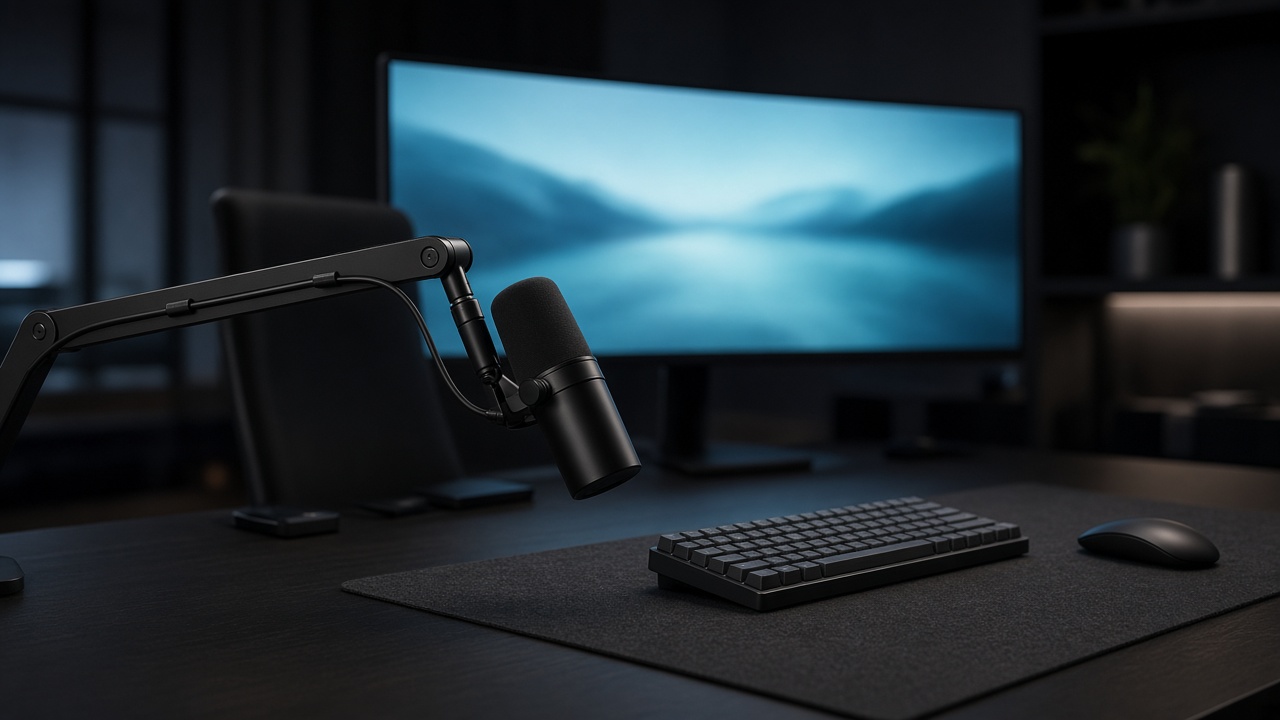
Off the desk, close to the mouth, and below the webcam line. That is the whole geometry.
Clamp nothing until the desk geometry is settled. A boom and a monitor arm both want the same rear edge. Run your desk and monitor numbers through the ergonomic calculator before you pick the corner that still has thickness to bite.
01 // DYNAMIC VS CONDENSER FOR A REAL HOME OFFICE
Condensers are sensitive on purpose. They hear the room. That is a feature in a quiet, soft-furnished space and a problem in a spare bedroom with a hard floor, a bare wall, and a space heater. Dynamics are less sensitive. They want the voice that is close, and they shrug off the keyboard, the HVAC, and the echo a condenser turns into a tail on every sentence.
Buy a condenser when the room is actually quiet: rug, curtains, a closed door, nobody running a dishwasher on the other side of the drywall. Buy a dynamic when the room is a real home office. Most WFH rooms are the second kind. That is why the top two picks here are dynamics, and why the streamer and gamer condensers come with a caveat instead of a crown. ANC headphones solve what you hear. They do not fix what you send.
THE UPGRADES (PROS)
- Dynamics reject keyboard, HVAC, and room echo in untreated offices
- A boom puts the capsule 4-8 inches out, off the desk, and out of frame
- USB-C plus XLR on the top two mics means you can leave the interface for later
THE TRADEOFFS (CONS)
- Condensers need a quiet, soft room or they broadcast the space
- Heavy dynamics (the PodMic USB is 900 g) punish a cheap arm
- A boom clamp fights a monitor-arm clamp for the same rear edge
02 // USB MIC COMPARISON TABLE
Four mics, one job: make the outgoing channel sound like a person in the room instead of a person inside a laptop. Price is the street number as of this deploy. The Amazon search link is the live check.
| Mic | Type | I/O | DSP | Weight | Approx. Price |
|---|---|---|---|---|---|
| Shure MV7+ | Dynamic cardioid | USB-C + XLR | Auto Level, real-time denoiser | 573.5 g | ~$255 |
| RØDE PodMic USB | Dynamic cardioid | USB-C + XLR | APHEX | 900 g | ~$185 |
| Elgato Wave:3 MK.2 | Cardioid condenser | USB-C | Clipguard 2.0, Auto Gain, Wave Link | 250 g | ~$134-145 |
| HyperX QuadCast 2 | Condenser, 4 patterns | USB | Tap-to-mute | 335 g | ~$119 |
The two dynamics are the home-office picks. The two condensers are the stream and game picks, and only if the room is quiet enough to deserve them. Pair any of them with a monitor arm that has already claimed its clamp zone, so the boom is not negotiating for the same inch of desktop.
03 // DEEP DIVE: SHURE MV7+ (BEST OVERALL)
The MV7+ is the default call mic. Dynamic cardioid, USB-C and XLR on the same body, 50 Hz-16 kHz, 573.5 g. That frequency window is a voice curve, not a hi-fi condenser trying to hear the room. Auto Level and the real-time denoiser do the unglamorous work of keeping a meeting from clipping when you lean in and from carrying the HVAC when you lean back. LED touch mute is the control you can find without looking down. The 3.5 mm jack is there so you can monitor yourself without a round trip through the laptop.
Street price on the black mic is about $255 against a $299 list. The white mic lands nearer $225. Either color is the same capsule. XLR is the exit ramp: USB-C covers a laptop today, and the same mic hits an interface later without a second purchase. At 573.5 g it is not a PodMic, but it is still a real dynamic. Hang it on an arm rated for the weight, not a $20 spring that was happy with a 250 g condenser.
THE UPGRADES (PROS)
- Auto Level and a real-time denoiser built for untreated rooms
- USB-C plus XLR, LED touch mute, and 3.5 mm monitoring
- 573.5 g is manageable on either Elgato arm
THE TRADEOFFS (CONS)
- ~$255 black (list $299) is the spend in this roundup
- 50 Hz-16 kHz is voice-focused, not a 20 kHz condenser bandwidth
- You still need a boom. The mic does not fix a keyboard-deck placement
04 // DEEP DIVE: RØDE PODMIC USB (BEST VALUE)
The PodMic USB is the value dynamic. About $185, cardioid, USB-C and XLR, 20 Hz-20 kHz, 24-bit/48 kHz. APHEX DSP is the onboard processing. The internal pop filter and internal shock mount are built for close talk, and the swing mount is how the body actually aims at a mouth instead of the ceiling. On paper this is the mic you buy when $255 for the MV7+ is the wrong number and a condenser is the wrong physics.
Then you lift it. 900 g. That is about 2 lb of microphone before the cable. A flimsy arm will hold it for a week and then droop into the frame. The arm has to be rated around 2 lb or better, and the spring has to be happy at 900 g, not merely "up to" some number you will never trust. The internal shock mount does not make the boom's job smaller. It makes the mic quieter. The arm still carries the mass.
THE UPGRADES (PROS)
- Dynamic cardioid rejection at about $185
- USB-C plus XLR, APHEX DSP, 24-bit/48 kHz, 20 Hz-20 kHz
- Internal pop filter, internal shock mount, and a swing mount
THE TRADEOFFS (CONS)
- 900 g punishes undersized arms and shows up in sag reports
- The right arm is part of the price, not an optional extra
- Heavier than the MV7+, so the LP sag reports apply here
05 // STREAMER AND GAMER PICKS
These two are condensers. Read section 01 again before you add either one to an untreated room. They are the right tools when the room is quiet, the content is a stream or a game, and you want software routing or polar patterns more than you want the mic to ignore a mechanical keyboard.
Elgato Wave:3 MK.2 (Best for Streamers)
The Wave:3 MK.2 is the stream mic. Cardioid condenser, 24-bit/48 kHz, 70 Hz-20 kHz, USB-C. Street price is about $134-145 against a $169.99 list. Clipguard 2.0 and Auto Gain are the onboard DSP. Wave Link is the routing layer: mic, game, chat, and music on separate faders instead of one sad system slider. The mic itself is 250 g. With the included stand it is 570 g. On a boom you lose the stand, so the arm sees 250 g, which is light work for either Elgato arm.
The published response starts at 70 Hz, so the deepest desk rumble never makes it in. That is not the same as rejecting the room. A condenser in a bare office still sounds like a condenser in a bare office, just with less HVAC thump under it.
HyperX QuadCast 2 (Best Gamer Kit)
The QuadCast 2 is the kit. About $119 against a $149.99 list. Four polar patterns on the body: cardioid, omni, bidirectional, and stereo. 24-bit/96 kHz, 20 Hz-20 kHz, tap-to-mute, and a shock mount plus desk stand in the box. 335 g. If you record with someone across the desk, bidirectional and omni are the reason to own it. If you are one person on a call, you will live in cardioid and wonder why you paid for the other three.
The stand is convenient and it is also the problem. A desk stand puts a condenser on the surface that your keyboard is hammering. Move it to a boom if the stand is in the webcam shot or if you can hear the keys. Same room caveat as the Wave:3. Pattern switches do not soundproof an apartment.
06 // BOOM ARMS
The mic is half the purchase. The arm is the placement. You want the capsule 4 to 8 inches out, off the desk, and below the shoulder line so the webcam does not frame a foam ball next to your forehead. Two Elgato arms cover that job. They are not interchangeable once the mic weighs 900 g or the desk moves.
| Arm | Reach | Capacity | Clamp / Mount | Approx. Price |
|---|---|---|---|---|
| Elgato Wave Mic Arm LP | 740 mm / 29.1 in horizontal | Up to 2 kg | 1/4, 3/8, and 5/8 in adapters | ~$70-100 |
| Elgato Wave Mic Arm MK.2 | 950 mm horizontal / 850 mm vertical | 200-1,200 g (0.4-2.6 lb) | Clamp up to 60 mm / 2.4 in | ~$90 ($89.99) |
Elgato Wave Mic Arm LP (Best Arm for Video Calls)
The LP is the call arm. Low-profile, all-metal, and built to sit below the shoulder line so it stays out of a webcam frame. Magnetic cable channels keep the USB lead from swinging into shot or slapping the desktop. Horizontal reach is 740 mm, 29.1 inches, which is enough to come from a rear corner to a mouth on a normal desk. Capacity is up to 2 kg. Thread adapters cover 1/4, 3/8, and 5/8 inch, so you are not hunting a mystery screw the night before a standup.
Street price runs about $70-100. On sale it has been $69.99 against a $99.99 MSRP. The catch is sag. Some owners report the arm drooping on heavier mics over time. A 250 g Wave:3 or a 335 g QuadCast 2 is not that story. A 900 g PodMic USB is. A 573.5 g MV7+ is the middle, and the LP is still the arm we would hang it on when the webcam frame is the constraint, with the sag note filed under "check it in a month."
Elgato Wave Mic Arm MK.2 (Best High-Reach Arm)
The MK.2 is the arm that rises over a monitor or drops low. About $90 at $89.99. Capacity is 200-1,200 g, which is 0.4-2.6 lb. Horizontal reach is 950 mm, vertical reach is 850 mm, and a 150 mm riser is in the box. Silent joints matter on a mic that lives next to a mouth. The clamp opens to 60 mm, 2.4 inches.
That reach is why it belongs on an ultrawide and on a sit-stand desk. A 49-inch panel eats the space a short arm needed. Desk depth for ultrawides is its own problem, and the MK.2's 950 mm horizontal is how the mic still arrives at your mouth after the panel does. On a sit-stand, the arm can clear the monitors at sitting height and drop back down when you stand, instead of living at one compromise angle. The 200 g floor means a tiny mic can float. The Wave:3 at 250 g, stand removed, clears it. The PodMic at 900 g sits inside the range with headroom, which is the entire reason to pair them.
GET THE CLAMP GEOMETRY RIGHT
A boom arm and a monitor arm fight for the same rear edge. Desk depth, monitor distance, and top thickness decide whether the mic lands 4 to 8 inches from your mouth or in the webcam frame.
LAUNCH ERGONOMIC CALCULATOR07 // THE VERDICT
Buy the loadout, not a loose mic. The room picks the capsule. The webcam frame and the weight pick the arm.
| Loadout | Mic | Arm | Why |
|---|---|---|---|
| Default WFH calls | Shure MV7+ | Wave Mic Arm LP | Dynamic, denoiser, and a low arm that stays out of frame. ~$255 + ~$70-100. |
| Best value | RØDE PodMic USB | Wave Mic Arm MK.2 | 900 g sits inside the MK.2's 200-1,200 g spring. ~$185 + $89.99. |
| Quiet-room stream | Wave:3 MK.2 | LP or MK.2 | Wave Link routing, 250 g, condenser caveat. ~$134-145. |
| Gamer kit | QuadCast 2 | LP if the stand is in frame | Four patterns, shock mount and stand in the box. Same condenser caveat. ~$119. |
Most people on calls: Shure MV7+ on the Wave Mic Arm LP. Black is about $255, white about $225, list $299. The LP keeps the mic under the shoulder line. That is the stack that makes a 4K webcam sound like it belongs to the person on camera.
Spend less, keep the dynamic: PodMic USB on the Wave Mic Arm MK.2. Do not hang 900 g on the LP and hope the sag reports were about someone else's mic.
Stream or game in a quiet room only: Wave:3 MK.2 if you want Wave Link, QuadCast 2 if you want patterns and a stand in the box. If the room is live, ignore the lower price and buy the PodMic.
Incoming audio is a different purchase. Speakers versus headphones is the playback call. ANC headphones are what you wear when the room is loud and you still have to think. A sit-stand desk does not change the mic. It changes the slack in the cable and the reach the arm needs when the top moves. Fix the voice first. The laptop mic has had a long enough career.